
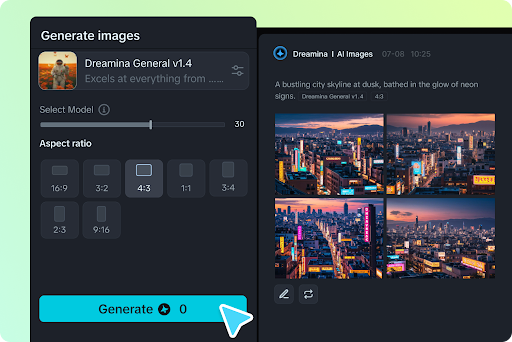
Video content has become one of the most powerful ways to communicate online. Businesses, content creators, marketers, and educators use videos to share ideas and connect with audiences. However, traditional video production often requires expensive equipment, editing skills, and significant time. Artificial intelligence is changing this process by making video creation easier and more accessible.
An AI video generator allows users to create videos with the help of artificial intelligence. Instead of recording every scene manually, users can provide text prompts, images, scripts, or other inputs. The technology then transforms these materials into engaging video content. This approach saves time and gives beginners more opportunities to explore creative ideas.
What Is an AI Video Generator?
An AI video generator is a digital tool that uses artificial intelligence to produce video content automatically. It can understand written instructions and turn them into visual scenes. Depending on the platform, users can generate videos from text, animate images, create characters, and produce different visual styles.
These tools use advanced machine learning models to understand prompts and generate relevant visuals. Some platforms also support background music, voiceovers, subtitles, and video editing features.
For example, someone creating a product advertisement can describe the product, desired background, camera movement, and overall atmosphere. The AI system uses those instructions to generate a video that matches the creative direction.
How Does AI Video Generation Work?
AI-powered video creation combines several technologies to produce visual content. Although different platforms use different systems, the general process follows a similar approach.
First, the user provides an input. This could be a written description, an uploaded photograph, or an existing video. The AI model analyzes the information and identifies important details.
Next, the system interprets the instructions and generates visual elements. These may include backgrounds, objects, characters, movements, and camera effects. Some advanced models can also create realistic lighting and smooth transitions.
Finally, the platform processes the generated content and produces a video file. Users can review the result and make adjustments when necessary.
The entire process can take significantly less effort than traditional video production.
Main Benefits of Using AI Video Tools
Artificial intelligence offers several advantages for people who regularly create video content.
1. Faster Content Production
Traditional video production involves planning, recording, editing, and reviewing multiple scenes. AI tools can simplify many of these steps. Users can create initial video concepts within minutes, depending on the complexity of their prompts.
This makes the technology useful for creators who need to publish content regularly.
2. Lower Production Costs
Professional video production may require cameras, lighting equipment, editing software, and experienced professionals. These expenses can become difficult for small businesses and independent creators.
AI-powered platforms provide an alternative by reducing the need for extensive equipment and production resources.
3. More Creative Opportunities
Creators can experiment with different environments, characters, visual effects, and storytelling approaches. They can test multiple ideas without arranging expensive recording sessions.
This flexibility encourages experimentation and helps creators develop original content.
4. Beginner-Friendly Experience
Not everyone has professional video editing experience. Many AI platforms provide simple interfaces that make video creation easier for beginners.
Users can focus on their ideas instead of learning complicated editing techniques.
Popular Ways to Use AI-Generated Videos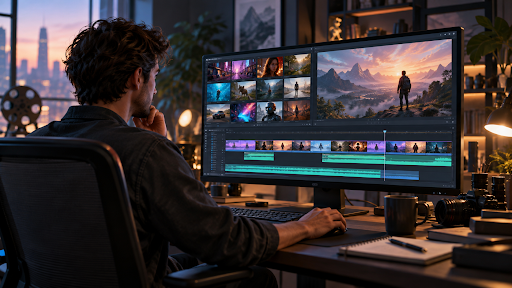
Ai video generator content has applications across several industries. Its flexibility makes it useful for personal projects and professional campaigns.
Social Media Content
Social media platforms depend heavily on engaging visual content. Creators can use AI-generated clips for short videos, promotional posts, educational content, and storytelling.
Different formats can be created for platforms such as Instagram, TikTok, YouTube, and Facebook.
Marketing and Advertising
Businesses can develop promotional videos to introduce products, explain services, and communicate brand messages. AI tools can help marketing teams test different creative concepts before launching campaigns.
For example, an online store could create a short product presentation without organizing a complete filming session.
Educational Videos
Teachers and online instructors can use AI-generated visuals to explain difficult topics. Animated scenes and visual demonstrations can make lessons more interesting.
Educational creators can also develop introductory clips and course promotional videos.
Business Presentations
Companies can use generated video content in presentations, internal training materials, and customer communication. Visual storytelling can make complicated information easier to understand.
Text-to-Video and Image-to-Video Technology
Two popular approaches have made AI video creation particularly interesting: text-to-video and image-to-video generation.
Text-to-video allows users to describe a scene using written instructions. The system interprets the prompt and creates moving visuals based on the description. This method is helpful when someone wants to create a completely new scene.
Image-to-video starts with an existing photograph or digital image. Artificial intelligence adds movement and transforms the static image into a video. Users can bring portraits, landscapes, product images, and illustrations to life.
Both approaches offer different creative possibilities. The right option depends on the available materials and the desired final result.
How to Write Better Prompts for AI Video Creation
The quality of an AI-generated video often depends on the instructions provided by the user. A clear prompt helps the system understand the intended scene.
Consider these practical tips:
- Describe the main subject: Explain what should appear in the video.
- Include the environment: Mention the background, location, and surroundings.
- Explain the movement: Describe how characters or objects should move.
- Choose a visual style: Specify whether you want realistic, cinematic, animated, or artistic visuals.
- Mention camera details: Include camera angles, zoom effects, or tracking movements when relevant.
- Keep instructions organized: Avoid unnecessary details that could confuse the intended scene.
For example, instead of writing “a car on a road,” provide a more detailed description.
“A modern electric car driving through a mountain road at sunset, cinematic lighting, smooth tracking camera movement, realistic reflections, and detailed surroundings.”
This gives the AI model a clearer creative direction.
Challenges and Limitations of AI Video Generation
Although AI video technology has improved considerably, it still has certain limitations.
Sometimes generated characters may have inconsistent facial features or unnatural movements. Objects can occasionally change appearance between frames. Text inside generated scenes may also contain errors.
Another challenge is creative control. The final result might not perfectly match the user’s original vision. Some projects require several attempts before producing satisfactory results.
Copyright and content ownership are also important considerations. Users should review platform policies before publishing generated material commercially. They should also avoid using copyrighted images, voices, or characters without appropriate permission.
Human review remains valuable for maintaining quality and accuracy.
Tips for Choosing the Right AI Video Generator
Choosing a suitable platform depends on your creative requirements. Before selecting a tool, consider the following factors:
Video quality: Look for platforms that produce clear visuals and natural movement.
Generation options: Check whether the tool supports text-to-video, image-to-video, or both.
Ease of use: A simple interface can make the creative process more comfortable.
Editing features: Built-in editing, sound, and customization options can reduce the need for additional software.
Pricing: Compare free features, subscription plans, and generation limits.
Commercial permissions: Review licensing terms if you plan to use videos for business or client projects.
Testing a few tools with the same prompt can help you understand their strengths and weaknesses.
The Future of AI Video Creation
AI video technology is developing quickly. Future systems may offer better character consistency, more realistic movements, improved sound generation, and greater control over individual scenes.
These improvements could make professional-quality video production more accessible to independent creators and small businesses.
However, artificial intelligence is unlikely to eliminate the importance of human creativity. Strong storytelling, emotional connection, and original ideas will continue to influence successful video content.
Instead, AI can become a creative assistant that helps people turn their concepts into visual experiences.
Conclusion
An AI video generator makes video creation more accessible by reducing the time, cost, and technical effort involved in production. From social media clips to business advertisements and educational presentations, these tools offer practical opportunities for different types of creators.
Although AI-generated content still requires human review, its creative potential continues to expand. By learning how to write effective prompts and choose suitable platforms, users can produce engaging videos and explore new ways to communicate their ideas.
The best results come from combining artificial intelligence with human imagination, careful planning, and thoughtful editing.