
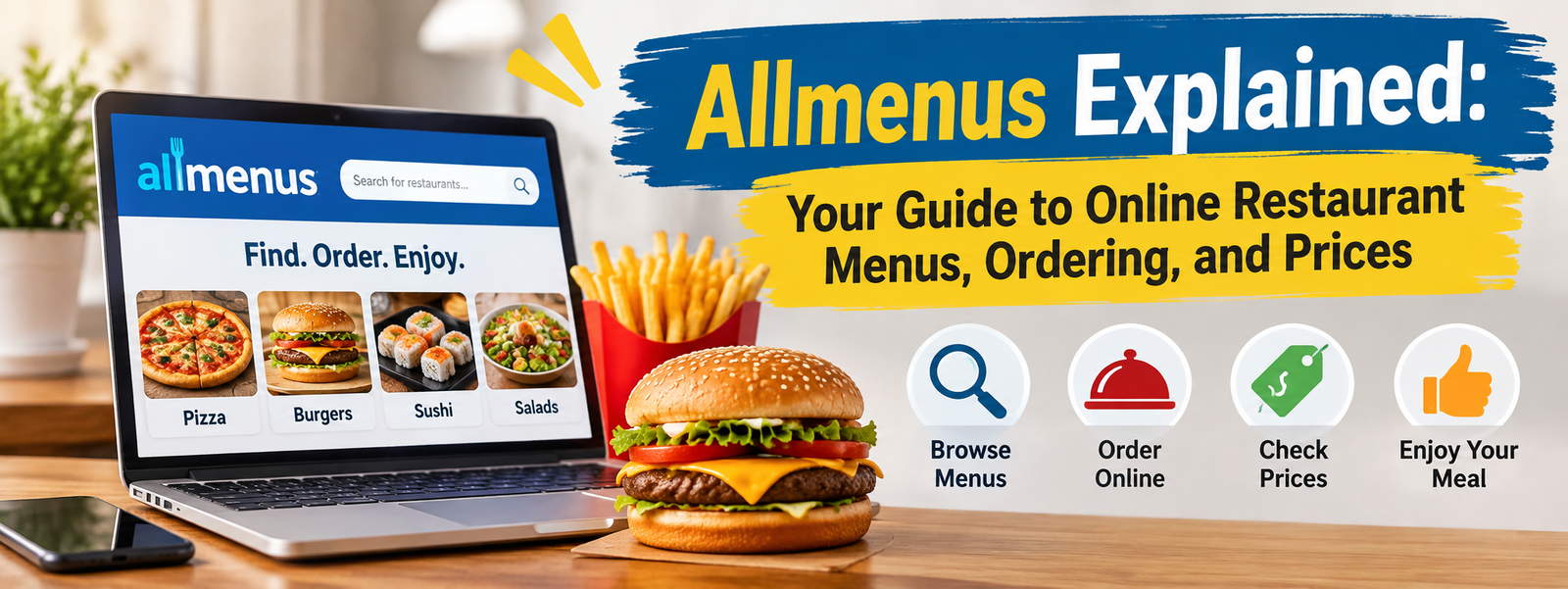
Finding a restaurant that serves the food you want should be simple, but checking menus, comparing prices, and deciding where to order can take time. Online restaurant directories make this process easier by bringing useful dining information together in one place. Allmenus Explained gives readers a closer look at how Allmenus.com works, what they can find on the platform, and how it can help them explore local restaurant options.
Allmenus.com is an online restaurant menu guide associated with Grubhub. It helps users discover restaurants, browse food menus, check available restaurant information, and access online ordering where participating restaurants offer it. Rather than preparing or delivering food itself, the platform connects customers with restaurant listings and ordering services.
Whether you want to explore a nearby pizza menu, compare lunch options, or find a restaurant before ordering dinner, understanding the platform can make the experience more convenient. This guide covers its main features, ordering process, menu prices, benefits, limitations, and practical tips for using it effectively.
Allmenus Explained: Understanding the Online Menu Platform
Allmenus.com is a digital restaurant directory designed to help people discover local dining options and explore menus online. Its website allows visitors to browse restaurant information by location and cuisine, making it easier to find food without visiting multiple restaurant websites individually.
The platform is part of the Grubhub portfolio of brands. According to its official information, Allmenus provides access to hundreds of thousands of restaurant menus across the United States. Its homepage and other information pages display slightly different directory totals, so the exact number should be treated as a changing estimate rather than a permanent figure.
One important distinction is that Allmenus is not a restaurant. It does not prepare the meals shown in its listings. Restaurants provide the food, while ordering options may be handled through Grubhub or Seamless when available.
Who Can Use Allmenus?
Allmenus can be useful for several types of customers:
- People searching for restaurants in a particular city or area.
- Customers comparing menus before deciding where to eat.
- Families looking for food choices that suit different preferences.
- Office workers searching for convenient lunch options.
- Travelers exploring restaurant choices in an unfamiliar location.
The platform is particularly useful when you want to review menu information before deciding whether a restaurant matches your budget or food preferences.
Main Features of Allmenus
Allmenus combines restaurant discovery with menu browsing and access to online ordering for participating businesses. Its features can help customers make more informed dining decisions.
1. Restaurant Menu Discovery
The central feature of Allmenus is its restaurant menu directory. Users can explore listings and view available food menus without having to search for every restaurant separately.
Depending on the listing, a menu may include:
- Appetizers and starters.
- Main courses and combination meals.
- Burgers, sandwiches, and wraps.
- Pizza and pasta selections.
- Desserts and beverages.
- Restaurant-specific specials.
Menu availability and detail vary by restaurant. Some listings may provide extensive item descriptions, while others may contain only basic menu information.
2. Restaurant Search by Location
Location-based discovery helps users find restaurants that serve their area. Allmenus provides browsing options for major cities and U.S. states, allowing visitors to explore restaurants according to where they want to eat.
This feature can be especially useful when someone is moving to a new neighborhood or visiting another city.
For better results, use the correct location and check the restaurant’s address before making a decision. A restaurant with a familiar name may have several branches, and their menus or ordering availability may differ.
3. Online Ordering Options
Allmenus supports online ordering for restaurants that participate through Grubhub or Seamless. Its official FAQ explains that customers can start an order by selecting the relevant Order button beside an eligible restaurant listing.
The availability of this option depends on the restaurant and location. Not every menu listing necessarily offers online checkout.
Customers should review the ordering page carefully to understand whether the order is for delivery or pickup and which service handles the transaction.
4. Restaurant Information and Reviews
Restaurant listings can help customers learn more before choosing where to eat. Depending on the available listing, users may find restaurant details, menu information, ratings, and reviews.
Reviews can provide useful context about customer experiences, but they should not be treated as a guarantee of food quality or service. Reading several recent reviews is generally more informative than relying on a single opinion.
How to Use Allmenus to Find a Restaurant
Using Allmenus is relatively straightforward. The best approach is to search by location, review the available restaurants, and check the menu before deciding where to order.
Step 1: Open the Official Website
Visit Allmenus.com. Start by choosing the location or browsing the available city and state directories.
Make sure you are using the official Allmenus.com website. Other websites with similar names may operate separately and offer different services.
Step 2: Find Restaurants in Your Area
Explore the available restaurant listings for your selected location. You can look for familiar restaurant names or browse options based on the type of food you want.
If you are searching for a particular cuisine, consider using a specific food preference to narrow your choices.
Step 3: Open a Restaurant Menu
Select a restaurant to view its available menu. Review the sections, food descriptions, and listed prices where provided.
Pay attention to item sizes, combinations, and optional extras. Two dishes with similar names may have different ingredients or serving sizes.
Step 4: Check Ordering Availability
If the restaurant supports online ordering through the platform, look for its Order option.
Follow the displayed instructions to continue through the supported ordering service. Confirm the restaurant location, selected items, and available fulfillment method before proceeding.
Step 5: Review Your Order Before Payment
Before submitting an order, check the item quantities, customizations, subtotal, taxes, delivery charges, and any other displayed fees.
The final checkout total is more useful than the menu price alone because additional costs may apply.
Allmenus Menu Prices: What Customers Should Know
Menu prices are an important part of choosing a restaurant. Allmenus can help customers review listed prices, but it is important to understand that these amounts are not necessarily identical across every restaurant or ordering channel.
Prices depend on the individual restaurant, location, menu, portion size, and ordering arrangement.
For example, a burger listed at one price may cost more when ordered as a meal with fries and a drink. Extra toppings, side dishes, and special requests may also change the total.
Why Prices May Differ
There are several reasons why a menu price may not match the final checkout amount:
- Restaurants may use different prices at different branches.
- Online ordering prices may differ from direct restaurant prices.
- Taxes may be added during checkout.
- Delivery or service fees may apply.
- Optional extras and item customizations can increase the subtotal.
Grubhub’s terms explain that prices displayed through its services may differ from prices offered directly by merchants. The platform also reserves the ability to apply relevant fees, taxes, and other charges.
This means customers should compare the complete checkout amount rather than assuming the first listed price is the final cost.
Example of Comparing Restaurant Prices
Imagine you are deciding between two restaurants that offer similar meals. One menu may show a lower starting price, while the other may include a side dish.
A useful comparison should consider the actual items, portion sizes, included extras, and final checkout total. This approach provides a more realistic picture of value than comparing two headline prices alone.
Allmenus vs. Ordering Directly From a Restaurant
Allmenus can make restaurant discovery easier, but ordering directly from a restaurant may sometimes be more suitable.
| Comparison | Allmenus | Direct restaurant ordering |
| Restaurant discovery | Browse multiple listings | Usually one restaurant at a time |
| Menu browsing | Available restaurant menus | Restaurant’s own menu |
| Online ordering | Available for participating restaurants | Depends on the restaurant |
| Prices | May differ from direct prices | Restaurant’s listed prices |
| Additional charges | May include platform or delivery fees | Depends on the restaurant |
| Menu updates | Information comes from different sources | Restaurant controls its own menu |
Neither option is automatically better in every situation. Allmenus is convenient for discovery, while a restaurant’s own website or phone line may provide more direct confirmation about current menu items, special requests, and prices.
Benefits of Using Allmenus
Allmenus offers several practical advantages for customers who want to explore restaurant options.
Convenient Menu Access
Customers can browse available restaurant menus online rather than depending entirely on printed menus or individual restaurant searches.
Easier Restaurant Discovery
Location-based browsing makes it easier to explore different dining options, particularly when looking for restaurants in a new area.
Better Meal Planning
Reviewing menus before ordering can help customers decide what they want and estimate their spending.
Access to Online Ordering
Participating restaurants offer ordering through Grubhub or Seamless, providing an additional way to arrange food without placing a traditional phone order.
Useful Starting Point for Comparison
Customers can review several restaurant options before choosing a meal. However, they should confirm important details directly when the listing does not provide enough information.
Limitations and Things to Check Before Ordering
Although Allmenus can be useful, customers should understand that restaurant information is not always complete or current.
Its official FAQ explains that menu information comes from several sources, including restaurant websites, restaurant submissions, and data providers. This means that listings can sometimes contain outdated prices, missing dishes, or incorrect details.
Grubhub’s terms also explain that the platform relies on merchants for information such as menu details, nutrition, allergens, and food safety.
Before ordering, consider these five practical checks:
- Confirm the restaurant address: Make sure the listing belongs to the branch you intend to use.
- Check current prices: Review the final total before payment.
- Verify menu availability: A listed dish may no longer be available.
- Review allergen information: Contact the restaurant directly if you have a food allergy or require specific dietary information.
- Check delivery or pickup details: Confirm the expected fulfillment method and any additional charges.
These steps can prevent confusion and help make the ordering experience more reliable.
How Restaurants Can Benefit From Allmenus
Allmenus is not only useful for customers. It also provides a way for restaurants to make their menus more visible online.
A restaurant listing can introduce its food selections to people who may not have visited its website or discovered the business through other channels.
According to the official FAQ, restaurants can request corrections or updates through the Allmenus Restaurant Center. The FAQ also states that listing a menu is free.
For restaurant owners, accurate information is essential. Updated menus, correct addresses, working contact details, and clear descriptions can help customers make confident decisions.
Restaurants that want to attract more online orders should also ensure their ordering links and menu information are maintained through the appropriate service.
Final Thoughts
Allmenus Explained shows how an online restaurant menu directory can make food discovery and menu browsing more convenient. Through Allmenus.com, customers can explore restaurant listings, review available menus, compare dining options, and access online ordering for participating restaurants through Grubhub or Seamless.
However, the platform should be treated as a starting point rather than a guarantee that every menu detail is current. Prices can differ between online ordering and direct restaurant channels, while availability, delivery options, and additional fees depend on the restaurant and location.
For the best experience, confirm the restaurant branch, review the menu carefully, and check the final checkout total before placing an order. With these simple habits, Allmenus can be a useful resource for discovering local restaurants and making more informed dining decisions.
Frequently Asked Questions
1. What is Allmenus used for?
Allmenus.com helps customers discover restaurants, browse menus, review available restaurant information, and access online ordering where supported.
2. Is Allmenus part of Grubhub?
Yes. Allmenus is part of the Grubhub portfolio of brands.
3. Can I order food through Allmenus?
Yes, for participating restaurants. Online ordering is available through Grubhub or Seamless where supported.
4. Are Allmenus prices always accurate?
Not necessarily. Prices and menu details may change, so customers should confirm important information before ordering.
5. Can restaurants update their Allmenus listings?
Yes. Restaurants can use the Allmenus Restaurant Center to request menu and business information updates.