
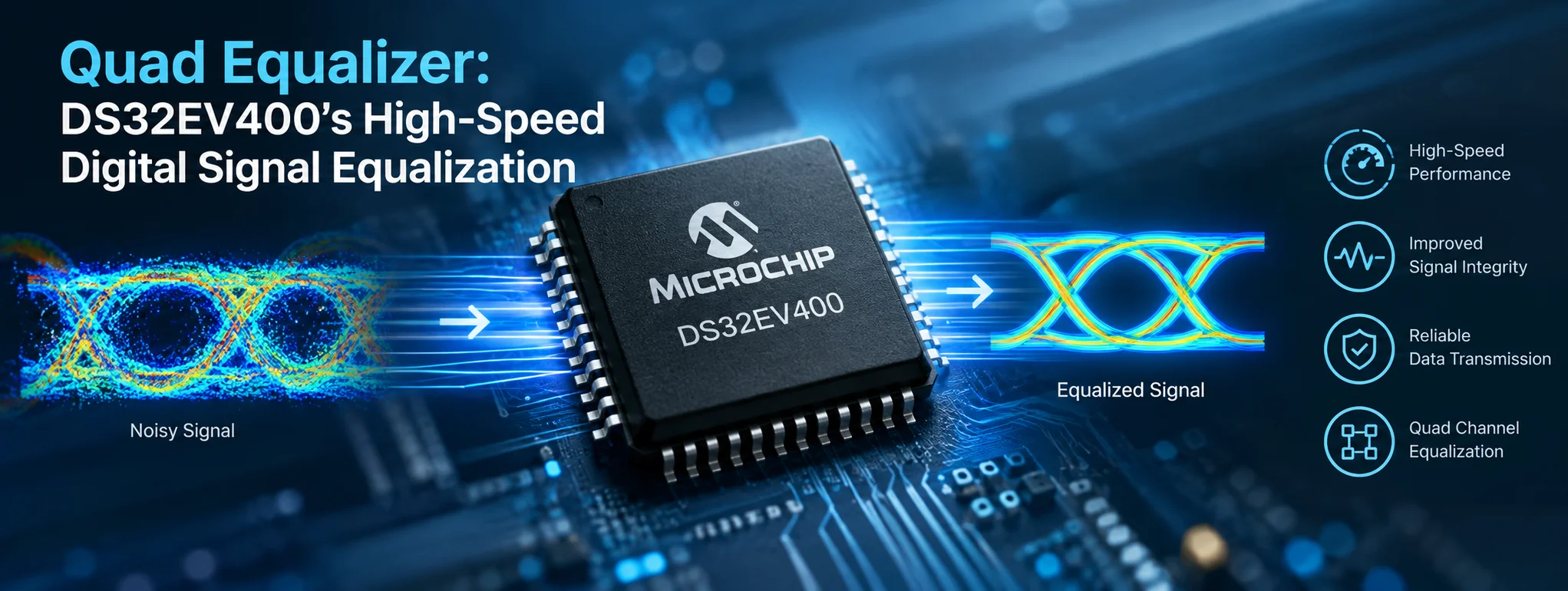
A quad equalizer is an audio equalization concept that helps listeners shape sound by adjusting different frequency ranges to achieve a more balanced and enjoyable listening experience. Whether you listen to music through headphones, speakers, a car stereo, or a home audio system, equalization can make a noticeable difference in how voices, instruments, bass, and high notes sound. For music enthusiasts, creators, and everyday listeners, understanding the quad equalizer can open the door to a richer and more personalized audio experience.
Modern audio systems offer many ways to customize sound, but not everyone needs a complicated professional mixing setup. A quad equalizer can provide a straightforward approach to sound adjustment, depending on the design of the specific device or software. By learning how frequency controls work, users can make informed adjustments that suit their favorite music, listening environment, and personal preferences.
Quad Equalizer and Its Role in Audio Technology
The term quad equalizer does not refer to one universal technical standard. Its exact meaning depends on the audio device, application, or product using the name. In some contexts, it may describe an equalizer with four frequency controls or bands. In others, it may refer to a particular audio product or software feature.
When a quad equalizer uses four adjustable frequency bands, each control changes a particular portion of the audio spectrum. This gives listeners more control than a simple bass-and-treble adjustment while remaining easier to understand than a professional multi-band equalizer.
Understanding Frequency Adjustment
Sound consists of different frequencies, measured in hertz (Hz). Lower frequencies create the foundation of bass, while higher frequencies contribute brightness, detail, and clarity. The middle frequencies carry much of the information that makes voices and many musical instruments recognizable.
A four-band equalizer commonly divides sound into four adjustable regions. The exact frequency boundaries vary by design, so users should check the controls and documentation for their particular system.
Why Equalization Matters
Recorded music does not always sound the same on every device. Headphones may emphasize bass, small speakers may struggle with low frequencies, and a room can make certain notes sound louder than others.
Equalization allows listeners to compensate for these differences. Instead of accepting the default sound profile, users can adjust the frequency balance to create a listening experience that feels more natural, detailed, or powerful.
How a Quad Equalizer Works
A quad equalizer works by increasing or decreasing the level of selected frequency ranges. These adjustments are usually measured in decibels (dB). A positive value boosts a frequency range, while a negative value reduces it.
For example, a listener who enjoys electronic music might increase the low frequencies slightly to emphasize the beat. Someone listening to spoken content might reduce excessive bass and make the vocal range more prominent.
The Four Frequency Bands
A typical four-band configuration may include the following areas, although the actual ranges depend on the device.
1. Low-frequency control
The low-frequency band influences bass instruments, kick drums, and the deeper parts of a recording. A modest boost can create a fuller sound, especially when the original playback feels thin.
However, excessive bass can make music muddy, overpower vocals, and cause small speakers to distort.
2. Low-midrange control
The low-midrange area contributes warmth and body to instruments and voices. It can help a recording feel full and substantial.
Too much energy in this region may make audio sound boxy or congested. Reducing it slightly can sometimes improve separation between instruments.
3. High-midrange control
The high-midrange band affects vocal presence, guitar definition, piano attacks, and the perceived clarity of many instruments.
A small adjustment may help a voice stand out in a busy mix. On the other hand, excessive boosting can create harshness, especially in bright recordings or poorly matched headphones.
4. High-frequency control
The high-frequency band contributes sparkle, air, cymbal detail, and the crispness of certain sounds.
Increasing this range may make audio seem more open, but too much can emphasize hiss, sharp consonants, and unpleasant treble. A balanced adjustment generally produces more satisfying results than extreme settings.
Key Features of a Quad Equalizer
The features of a quad equalizer depend on whether it is built into hardware, included in an application, or provided as part of a larger sound system. Nevertheless, several capabilities are commonly associated with four-band equalization.
Independent Frequency Controls
Separate controls allow users to adjust different parts of the sound without changing every frequency equally. This makes it easier to identify and correct specific problems.
For instance, a listener can reduce excessive low-midrange energy while preserving the deep bass and high-frequency detail.
Personalized Sound Profiles
Some equalizer applications let users save presets or create custom profiles. These settings can be useful when switching between music genres, podcasts, movies, and gaming.
A profile designed for acoustic music may emphasize natural vocals, while a gaming profile may prioritize clear dialogue and important sound cues.
Simple and Accessible Operation
Four controls can be easier to manage than a graphic equalizer with many narrow frequency bands. Beginners can experiment with a small number of adjustments without becoming overwhelmed by technical settings.
This simplicity makes a quad equalizer an approachable option for users who want greater control over audio without learning an entire digital audio workstation.
Compatibility With Different Audio Sources
An equalizer may work with music players, computers, mobile devices, car audio equipment, or home entertainment systems. Compatibility is not automatic, however. Some applications only affect their own playback, while others process system-wide audio.
Before choosing a product, check its supported operating systems, audio connections, and software requirements.
Benefits of Using a Quad Equalizer
A well-adjusted quad equalizer can improve the listening experience by helping audio match personal preferences and the characteristics of the playback equipment.
Better Sound Balance
The most important benefit is the ability to balance bass, midrange, and treble. If music sounds too heavy, too thin, or excessively bright, carefully selected adjustments can make it more pleasant.
The goal is not always to make every frequency louder. Often, reducing an overpowering range creates a cleaner and more balanced result.
Clearer Vocals and Instruments
Vocal clarity depends on several factors, including recording quality, speaker performance, room acoustics, and frequency balance. A quad equalizer can help make speech and musical details easier to hear when an existing frequency imbalance is responsible for the problem.
A More Enjoyable Listening Experience
Different listeners prefer different sound signatures. Some enjoy deep, energetic bass, while others prefer a neutral presentation that preserves the character of the original recording.
Equalization gives listeners the freedom to explore these preferences instead of relying entirely on a manufacturer’s default settings.
Improved Listening Across Genres
Different music styles place different demands on an audio system. Hip-hop and electronic music often feature strong bass, while acoustic recordings may rely more heavily on natural timbre and vocal detail.
A carefully configured equalizer can help adapt the same equipment to different listening situations without requiring new hardware.
Quad Equalizer Settings for Different Listening Needs
There is no single ideal equalizer profile for everyone. The best settings depend on the recording, headphones or speakers, room, and individual hearing preferences.
| Listening situation | Suggested adjustment | Intended result |
|---|---|---|
| Bass-heavy music | Slightly increase low frequencies if needed | Fuller and more energetic bass |
| Podcasts and spoken content | Reduce unnecessary bass; adjust vocal presence gently | More intelligible speech |
| Acoustic music | Keep changes modest and prioritize natural tone | Balanced instruments and vocals |
| Rock and metal | Adjust low-midrange and high-midrange carefully | Better separation and definition |
| Movies and gaming | Preserve dialogue clarity and avoid excessive bass | Clearer voices and balanced effects |
These suggestions are starting points rather than fixed prescriptions. Actual frequency controls differ between devices, and a setting that works well on one pair of headphones may sound poor on another.
How to Find Your Preferred Settings
Begin with a flat or neutral equalizer setting, where available. Play a familiar, well-recorded track and listen carefully to its vocals, bass, and high-frequency details.
Change one control at a time and use small adjustments. Compare the modified sound with the original at approximately the same volume. This helps you determine whether the change genuinely improves the sound instead of simply making it louder.
Practical Tips for Getting the Best Results
A few simple techniques can help users get more consistent results from a quad equalizer.
- Start with small changes: Adjust controls gradually instead of applying extreme boosts or cuts.
- Listen to familiar recordings: Well-known songs make it easier to recognize changes in tone and detail.
- Avoid excessive boosting: Large boosts can reduce available headroom and increase the risk of clipping or distortion.
- Check different tracks: A setting that improves one recording may make another sound unnatural.
- Save useful presets: Keep separate profiles for music, movies, gaming, and spoken content if your software supports them.
These habits encourage thoughtful listening rather than endless experimentation. They also help preserve the character of the original recording.
Common Mistakes to Avoid When Using a Quad Equalizer
Equalization can improve sound, but poor adjustments can introduce new problems. One common mistake is boosting every frequency band because the user assumes more adjustment will automatically produce better audio.
In reality, excessive changes may create an unnatural frequency balance. Strong bass boosts can overwhelm the midrange, while excessive treble can make cymbals and consonants unpleasantly sharp.
Another mistake is ignoring the listening environment. Speaker placement, room reflections, headphone fit, and recording quality can all influence what you hear. An equalizer cannot completely repair damaged recordings, defective speakers, or serious acoustic problems.
It is also important to distinguish equalization from volume control. Raising a frequency band does not necessarily make the entire audio signal louder, but it can increase the overall signal level enough to cause clipping. If distortion appears after boosting several bands, reduce the boosts or lower the output level.
Finally, avoid assuming that every product marketed as a quad equalizer has identical controls. Always review the product specifications before expecting particular features.
Quad Equalizer for Beginners and Audio Enthusiasts
For beginners, a four-band equalizer offers a manageable introduction to audio customization. Users can learn how bass, warmth, presence, and treble influence the sound without navigating dozens of advanced controls.
More experienced listeners can also benefit from this approach when making quick adjustments to everyday playback systems. Although a four-band design offers less detailed control than a parametric equalizer, it can still be effective for correcting broad tonal imbalances.
Professional audio work may require additional tools, such as parametric equalization, spectrum analysis, room correction, and dynamic processing. However, these tools are not necessary for every listener. For casual music playback, a simple equalizer may provide all the control needed to create a satisfying sound.
When evaluating a particular quad equalizer product, consider its adjustment range, frequency bands, interface, compatibility, preset options, and whether it introduces unwanted noise or latency.
Frequently Asked Questions
1. What does a quad equalizer do?
A quad equalizer adjusts selected frequency ranges to help users customize bass, midrange, and treble balance.
2. Is a quad equalizer good for music?
Yes. It can help tailor music playback to personal preferences and compensate for certain tonal imbalances in headphones or speakers.
3. Can a quad equalizer improve vocal clarity?
It can help when excessive bass or an uneven frequency response masks vocals. Results depend on the recording and playback equipment.
4. Are quad equalizer settings the same for every device?
No. Frequency ranges, adjustment limits, and processing methods vary by device or software.
5. Should beginners use a quad equalizer?
Yes. A four-band layout can be relatively simple to understand. Beginners should start with small adjustments and compare them with a neutral setting.
Final Thoughts
A quad equalizer provides a practical way to customize audio by adjusting selected frequency ranges. Whether you want fuller bass, clearer vocals, more controlled midrange, or a brighter presentation, careful equalization can help you create a sound that better suits your preferences.
The key is to make purposeful adjustments rather than changing every control at once. Start with a neutral profile, listen to familiar recordings, and make small changes until the result feels balanced and natural. Remember that equalization works best alongside good recordings, suitable playback equipment, and sensible volume levels.
1 thought on “Quad Equalizer: Features, Benefits, and How It Enhances Audio Quality”