
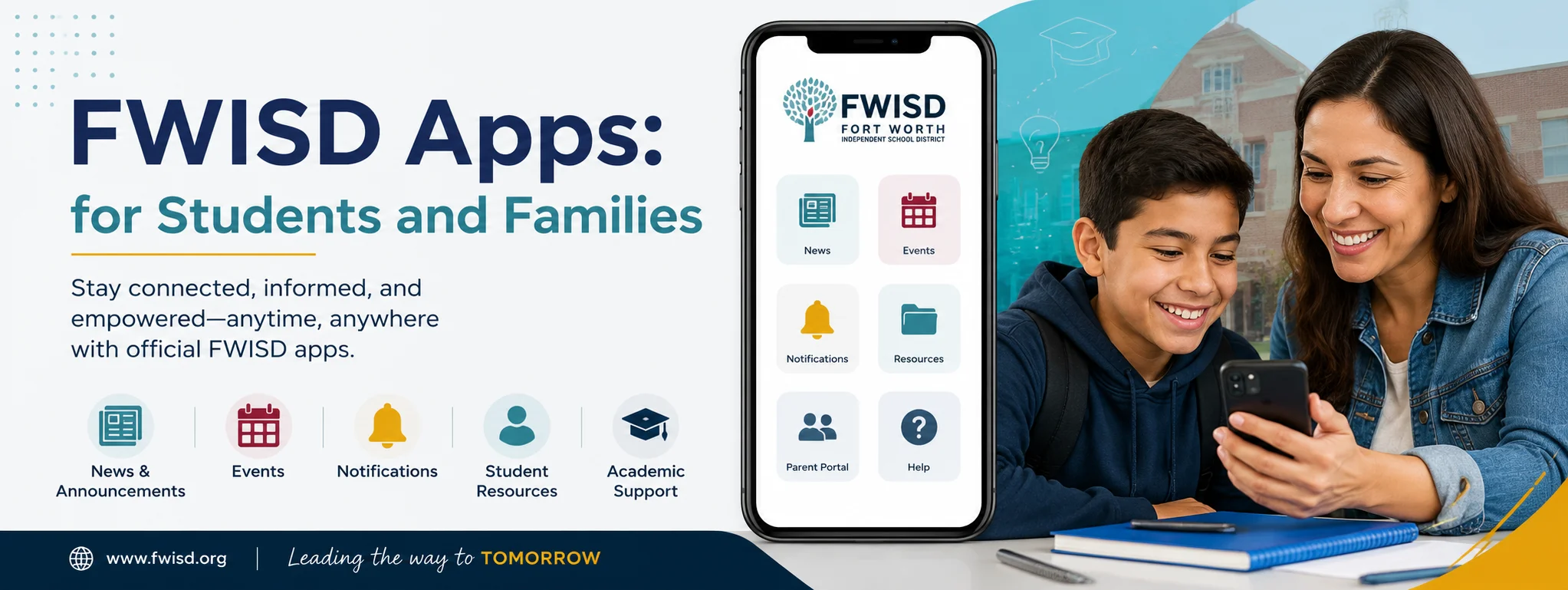
FWISD apps make it easier for students, parents, teachers, and staff to manage everyday school activities from a phone, tablet, or computer. Fort Worth Independent School District (FWISD) uses several digital platforms for communication, grades, transportation, enrollment, meals, and classroom learning.
For families, these apps can reduce the need to search through different websites or contact the school for routine information. Instead, important updates can be accessed through connected digital services. FWISD also provides technology resources and devices to support students throughout their school experience.
Main FWISD Apps and Digital Tools
There is not just one application for every FWISD service. Different platforms handle different responsibilities, so knowing which app to use can save time.
1. FWISD Parent Portal App
The Parent Portal is one of the most useful digital services for families. FWISD currently provides access to the Parent Portal through the Focus Portal app.
Parents can use the portal to check important student information, including grades, attendance, schedules, report cards, teacher contact information, and STAAR test results. Grades are displayed as teachers enter them, although the timing of grade updates can vary by teacher.
Parents generally need a student ID, the student’s birthday, and a valid parent email address when setting up an account.
2. ParentSquare
ParentSquare is FWISD’s primary platform for school communication. Families can receive messages through the app, email, text, or voice notifications.
The platform can be particularly useful for school announcements because parents can view posts, calendars, photographs, forms, and event information in one place. It also allows families to communicate directly with teachers and staff and supports automatic language translation.
Parents should activate their ParentSquare account using the invitation sent to their email or phone number. Once activated, notification preferences can be adjusted according to how frequently they want to receive updates.
3. Stopfinder Parent App
Transportation is another area where FWISD uses an app-based system. The Stopfinder Parent App helps families stay connected with their student’s bus transportation.
According to FWISD, parents can receive real-time updates when a student boards, leaves, or arrives. Custom notifications can also be configured. Families who have requested transportation should receive an activation invitation from FWISD.
This can be especially helpful for parents who want a clearer idea of when their child is traveling between home and school.
4. MySchoolBucks
MySchoolBucks is used for managing school meal accounts. Parents can create an account, add students using their school information and student ID, and make online payments when applicable.
The service also supports account activity monitoring, low-balance alerts, recurring payments, and electronic payment options.
However, families should understand an important change for the 2026–2027 school year: FWISD states that all enrolled students receive free breakfast and lunch, with no application required.
FWISD School Meal Menu and Prices
FWISD’s Child Nutrition Services department publishes school menus and nutrition information for families. Menu choices vary according to school level and date, so families should check the current district menu rather than relying on an old menu.
Because student breakfast and lunch are free during the 2026–2027 school year, the prices below should not be interpreted as charges for enrolled students. The district’s published adult meal prices provide useful reference information for adults purchasing school meals.
| Dish or Meal | Price | Notes |
|---|---|---|
| Breakfast | $3.55 | Published adult price |
| Lunch | $5.35 | Published adult price |
| Student Breakfast | $0.00 | Free for enrolled FWISD students in 2026–2027 |
| Student Lunch | $0.00 | Free for enrolled FWISD students in 2026–2027 |
| Pizza or daily entrée | $0.00 | Included when offered as a reimbursable student meal |
| Fresh fruit or vegetables | $0.00 | Included as part of eligible student meals |
The district emphasizes nutritious meal choices, including whole-grain products, low-fat or fat-free milk, fruits, vegetables, and other foods that meet applicable school nutrition requirements.
FWISD Apps for Student Devices
Technology is an important part of the FWISD learning environment. Elementary students use iPads in K–5 classrooms, while middle and high school students use MacBooks. These devices provide access to educational applications, digital resources, interactive materials, and classroom tools.
Students may therefore encounter different applications depending on their grade level, classes, and school. Some tools are used for assignments and digital learning, while others provide access to communication, school information, or district services.
Students should use district-provided devices and applications according to FWISD technology policies and acceptable-use requirements.
How Parents Can Get Started
Getting started with FWISD apps is relatively straightforward. First, parents should make sure their contact information is correct with the student’s school. This is important because several services rely on information already stored in the district’s student information system.
For the Parent Portal, parents create or access their account and then download the Focus Portal app. FWISD provides instructions for both new accounts and parents adding another child to an existing account.
For ParentSquare, parents should look for the activation invitation and verify their contact information. After activation, they can choose notification and language preferences.
For transportation, families should watch for the Stopfinder invitation if their student is eligible for or assigned transportation.
Common Problems With FWISD Apps
Sometimes an app may not display the information a parent expects. A missing grade, schedule, student, or notification does not necessarily mean the account is broken.
For example, FWISD notes that grade-posting frequency can differ between teachers. If information appears incomplete, checking again later or contacting the appropriate school office may resolve the issue.
Parents should also keep their email address and phone number updated because account invitations and school communications can depend on accurate contact information.
If technical assistance is required, FWISD lists its Help Desk at 817-814-4357. The district also provides technology resources and support information for families.
Why These Apps Matter for Families
The biggest advantage of the FWISD digital ecosystem is convenience. Parents can check academic progress, receive announcements, communicate with school staff, manage relevant services, and follow transportation information without depending entirely on paper notices.
Students also benefit because digital tools connect their classroom experience with resources available outside the school building. With district-provided devices and educational applications, students can access learning materials and participate in technology-supported activities.
The key is knowing which platform handles each task. Parent Portal focuses on student information, ParentSquare focuses on communication, Stopfinder supports transportation, and MySchoolBucks manages applicable meal-account functions.
Final Thoughts
FWISD apps have become an important part of managing school life for Fort Worth families. Instead of treating technology as a single application, FWISD uses several specialized platforms that work together to cover academics, communication, transportation, meals, enrollment, and digital learning.
For parents, starting with the Parent Portal and ParentSquare is a practical way to stay informed. Families who use district transportation should also become familiar with Stopfinder, while MySchoolBucks remains useful for applicable meal-account needs.