
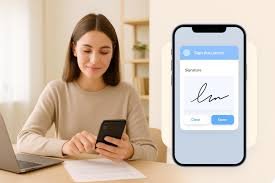
The methods through which companies interact, work together, and perform their everyday operations have been fundamentally transformed due to remote work. We could come across a situation where employee A prepares a document, employee B gives inputs about it, and employee C signs off the document. This type of scenario showcases how remote work has revolutionised traditional business workflows.
But these different people might have a different time zone or not even have the same access to resources. While most of the work is done through online tools, there’s just one tiny but very important step, like signature, which gets delayed due to manual involvement. A document has to be manually signed, printed, scanned, and emailed, which are all very time-consuming steps.
A physical signature is an integral part of any legal document, and that means it is necessary to find digital alternatives to the traditional methods. An eSign app is a very suitable solution to that issue. eSign apps allow teams, regardless of whether or not they are on site, to send, review, sign, manage, or track documents online. Beyond saving the company time and allowing people to work from anywhere, document signatures are also more secure using eSign.
Why Does Document Signing Become Difficult for Remote Teams?
The usual signing process of documents through face-to-face meetings in the office can lead workers and managers who have to be at the same building to a state of frustration if they cannot do their work from there. Think of a situation where the contract has been completely prepared and awaits signature. Then, it comes to light that the person with signing authority might have been remote, on a trip and even in a different time zone.
Email files might be a good idea, but they might cause more problems later. Workers might download, update, and email the document several times. The company would likely end up having more than one copy of the same file. Apart from that, the group might also spend many hours trying to figure out if a document was actually being looked at or signed.
There is no way that remote staff members can just go next door to ask if somebody can sign something. Eventually, the only option for getting manual follow-ups would be to send email, use a messaging app or call. Such activities might become quite common as part of the document workflow process.
What is an eSign App and How Does It Support Remote Work?
An eSign app is the kind of software that enables its users to digitally sign documents online, without the need to print, physically sign, or even scan. In some cases, the platform may offer additional features such as the possibility for businesses to send documents to signees, track the progress of signing agreements, handle multiple signers, and keep logs of signing activities.
Let’s describe how the whole process of signing via the Web might proceed:
Upload → Send → Review → Sign → Track → Store
This is in particular useful for teams working from different places because those involved don’t have to be working in the same office space.
A company can install an electronic signature software that will enable the signing of documents online from the time the document is dispatched till it is completed if they decide to have such integration with their document workflows.
6 Ways an eSign App Helps Remote Teams Handle Documents
1. Sign Documents From Anywhere
Viewed from the perspective of remote teams, using an e-sign app gives a great advantage as it allows getting documents anywhere very quickly and hassle-free. Office premises will be left aside by employees (managers, clients, and vendors) as they will be signing the documents virtually using e-signatures. For instance, if the HR manager wishes to onboard a new employee to work with their company but the potential employee happens to be remote, then the HR manager could send them an employee contract using email or an online portal. Like that, if a salesperson wanted to share a contract with a client who is not nearby, he or she could use an e-signature app to do it.
All in all, switching to ‘go paperless’ and having signings and approvals done digitally, using the web as a medium, not only helps in the speed of getting the work done but also ensures that the signer has completed his/her job at all times despite not being physically there with other people.
2. Reduce Waiting Time for Approvals
Document approvals that physically depend on signing require the person authorising the document to be present at the place where the documents are kept. For example, if they are away for leisure or work, that person would have to be present at their office to sign the contract. Otherwise, this contract could only be signed when the authoriser was physically able to use a printer or come back to the place where they usually sign documents.
Signing online minimises a lot of such dependency that is required to be there physically. Once the signatory has reviewed and digitally signed the document, the next part in the workflow can start almost right away without physically having to wait for the documents to be sent from one physical location to another.
3. Keep Track of Pending Documents
Remote team members can often become misaligned without the ability to monitor different work activities and workflows. A common issue among remote teams is team members missing the next steps. This is why keeping track of different work activities through status updates is helpful.
A signer tracking feature that can be found in e-signature apps is such a great tool that teams could use to stay updated on the signatory’s progress at each stage of the signing process. Without the need to go chasing each signee individually through telephones or emails, the staff is able to point out the documents that are still awaiting the signer’s action. Besides that, they can be informed of each action taken so that they know what is still left in the process.
Through the use of an e-sign service like EazeeSign, the online signing of documents will be facilitated. The tracking of documents will be visible, which will enable teams of workers from different locations to have all their documents updated.
4. Simplify Multi-Person Signing
It’s quite common that various important documents have multiple people whose signatures are required. In an employment case, for instance, the manager can sign first, HR second, and finally, the employee. The commercial document may first be signed by the sales team, then by the legal team, with the client signing it lastly.
Keeping track of such approvals by sending documents via email in different files and attaching them every time can be a really messy thing. An eSign app can greatly facilitate collaboration by enabling documents to be passed between different stakeholders. Besides, if the sign-off in a specified order is available as a feature, it helps people to receive a document when it’s the right time instead of being dependent on how well a team will do the hand-offs.
5. Reduce Manual Follow-Ups
It’s quite difficult to keep track of one or more people who haven’t yet completed their task when working with a distributed team of colleagues. Most of the time, a team member would come back to you saying that the document is not yet ready for full review, and, at the same time, he/she might also have reminded a colleague about it.
A good idea to do is to let the system automatically alert you and remind the person involved so that you don’t have to personally be the mediator. If you used to check with them every time after everyone completed the task, you can just let the system send the update or reminder instead.
That way, there will be no interruptions for documentation, and work can be completed at the right pace. Features like that are of huge benefit Mainly in case the business is based on contracts or heavily relies on documentation. Say, if the company processes hundreds of legal documents, internal employee forms, vendor agreements or client authorisations on a daily basis, they will definitely benefit greatly from such a system.
6. Maintain Clear Signing Records
Without physically stored paper documents at one office, teams can’t rely on it, and the reason is that working remotely demands having an accurate and transparent history of the work that was done.
With a signing platform or an online sign, it usually comes with logging and auditing features, which are useful for keeping track of signing events, like sending, viewing, or signing the document.
In addition, the organisation’s digital means of paperwork result in the availability of finished files quickly when employees have to retrieve them for contract renewals, legal procedures, internal reviews, or any other type of verification.
Where Can Remote Teams Use an eSign App?
HR and Employee Onboarding
HR teams can make use of an eSign app to distribute offer letters, employment contracts, policy acknowledgements, and onboarding documents to employees working in different places. New hires can carry out necessary documentation without going to an office for the mere purpose of giving signatures.
Sales and Client Agreements
Sales teams are often engaged with their customers who are located in different cities or regions. e-signatures give the ability for the salespeople, their managers, and their customers to exchange documents like proposals, contracts, and agreements with ease without being physically restricted by the need for paper.
Procurement and Vendor Management
Procurement departments can implement electronic signatures to handle various items such as agreements with vendors, purchase approvals, and related papers. Besides being convenient, it would assist in coordination with the suppliers first and internal people like department managers on the other side who work in different geographical locations.
What Should Remote Teams Look for in an eSign App?
You cannot make a decent judgement just from whether the eSign app is able to put a signature on a document. Selecting an eSign software is not only about the ability to put your signature on a document. Companies must consider if the software is going to align with the actual way their remote teams operate day to day.
Mobile and browser-based accessibility are mostly significant, as a work situation might arise when employees and external recipients have signed documents while travelling, or they might be working away from their main computers. Also, the signing process must be kept simple and straight to the point so clients and vendors will not have to go through elaborate technical setup to sign a document.
Document tracking, signer authentication, automatic reminders, signing order management, and audit trails can greatly refine digital procedures for companies doing business via email. It is worth pointing out that the management and retrieval of signed documents should be taken seriously.
Applications like EazeeSign merge digital signing with document management and workflow features. That’s why offering remote workers a common hub for doing more of the signing work digitally is important.
Conclusion
Remote work does not necessarily mean document approvals are slower. As staff members, customers, managers, and business partners are working from different locations, handwritten signatures may result in additional problems, as well as delays and heavy administrative work.
An eSign app enables companies to perform document signing remotely, have real-time visibility into incomplete activities, and ensure documents are available to the right people who need them no matter their location. Through the implementation of digital signing for remote workflows, businesses can build more efficient and flexible ways of dealing with everyday documents.
FAQs
Can remote employees sign documents using an eSign app?
Yes, an eSign app enables remote workers to view and sign electronically compatible documents online without having to be in a physical workplace. This is mainly convenient for use with employment agreements, HR documents, internal approvals, and policy acknowledgements.
Can an eSign app be used on mobile devices?
Some modern eSign solutions enable mobile or browser-based signing, which means that users can manage documents on their smartphones, tablets, or computers. Since some people might work on a mobile device a lot, companies need to know if signing will work on mobile devices when they are deciding between different platforms.
How does an eSign app help with remote employee onboarding?
HR departments could take advantage of an eSign app to streamline the entire operation and dispatch to their workers and potential candidates who have just been hired their offer letters, contracts of employment, organisational guidelines, and different onboarding documents through mail.
What should businesses consider when selecting an eSign app for remote teams?
Companies looking to adopt electronic signing solutions should take all these items into account: user-friendliness, signer identification for the mobile phone, document following the signer, sending automated reminders, setting a signing sequence, keeping the audit trail encrypted, document handling, and the need to integrate with third-party systems.