
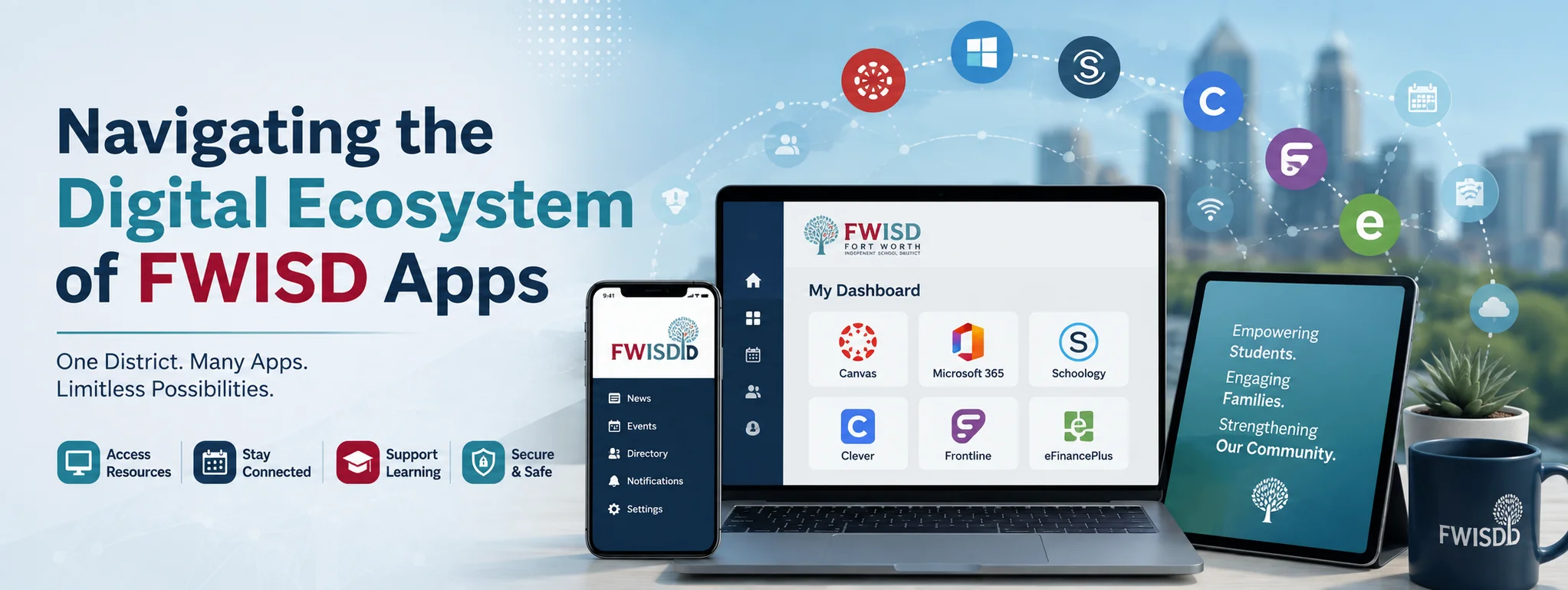
Educational technology has transformed from a supplementary classroom tool into the primary framework connecting students, teachers, and families. Within the Fort Worth Independent School District (FWISD), this digital transformation centers around a suite of mobile applications and web platforms designed to streamline learning, tracking, and communication.
Navigating this digital network effectively requires understanding how these tools interact. The collection of software known collectively as FWISD apps provides an integrated ecosystem that handles everything from daily classwork submission to real-time attendance tracking and district-wide safety notifications.
Core Pillars of the FWISD Application Suite
The district relies on a combination of public-facing communication applications and secure administrative portals. Understanding which app handles specific tasks helps families and students stay organized throughout the academic year.
The Focus School Software Experience
At the heart of daily academic tracking sits the FWISD Focus Portal app. Designed specifically for school district administration, Focus acts as the official Student Information System (SIS).
-
Real-Time Grade Visibility: Teachers enter assignment scores directly into the system, allowing parents and students to monitor progress immediately rather than waiting for quarterly progress reports.
-
Attendance Auditing: Daily attendance logs detail full-day absences, individual period truancies, and tardies.
-
Testing Metrics: Standardized testing data, including state-level STAAR performance metrics, is archived within the portal for long-term tracking.
-
Course Scheduling: Students can review their upcoming semester schedules, assigned classroom numbers, and teacher rosters ahead of term transitions.
District Communication Tools
While Focus manages granular academic records, the central Fort Worth ISD App serves as the public bulletin board and direct notification engine.
-
Instant District Alerts: Severe weather closures, emergency protocol announcements, and policy updates are pushed directly to mobile devices.
-
Campus-Specific Feeds: Users can select individual elementary, middle, or high schools to tailor news feeds, athletic schedules, and campus calendar events.
-
Safety Tip Lines: Built-in submission tools allow students and community members to report safety concerns anonymously to district administrators.
Single Sign-On Architecture: The Student Cloud Gateway
Managing multiple passwords for individual software platforms often leads to technical friction. FWISD solves this issue by deploying a Single Sign-On (SSO) launchpad, commonly accessed via the ClassLink or RapidIdentity framework.
When students log into their district-issued Chromebook or personal device using their district email credentials, this central cloud portal acts as a gateway to secondary learning platforms:
                  +-------------------------------+
                  |  FWISD Student Account Login  |
                  +---------------+---------------+
                                  |
                                  v
                  +-------------------------------+
                  |  Single Sign-On (SSO) Portal  |
                  +---------------+---------------+
                                  |
    +-----------------+-----------+-----------+-----------------+
    |                 |                       |                 |
    v                 v                       v                 v
+-------+     +---------------+     +------------------+  +-----------+
| Canvas|     | Google Class- |     | Digital Textbooks|  | Read180 / |
|   LMS |     |     room      |     |  & Databases     |  | Math Apps |
+-------+     +---------------+     +------------------+  +-----------+
This architecture ensures that once authenticated, students do not need to re-enter credentials to access specialized tools like digital libraries, subject-specific web applications, or online learning modules.
Classroom Integration and Learning Management Systems
Beyond administrative monitoring, daily instruction relies heavily on specialized learning management tools accessible via mobile platforms and web browsers.
Canvas and Google Classroom
Depending on grade level and specific campus directives, FWISD teachers utilize Canvas LMS or Google Classroom for instruction:
-
Assignment Submissions: Students submit digital essays, slide decks, and code files directly through these platforms.
-
Discussion Boards: Educators facilitate collaborative threads where students analyze reading assignments or peer-review project drafts.
-
Resource Storage: Syllabus documents, recorded lectures, reading PDFs, and assignment rubrics remain archived in a centralized location for late-night review or makeup work.
Reading and STEM Applications
To support literacy and mathematical proficiency, FWISD integrates targeted instructional software into the mobile environment:
-
Literacy Platforms: Apps like Lexia, Read180, and district library databases (Sora/OverDrive) allow students to check out audiobooks, complete comprehension exercises, and build vocabulary on mobile devices.
-
Interactive Mathematics: Tools like Imagine Math and Kahn Academy provide adaptive problem sets that adjust in difficulty based on individual student performance metrics.
Practical Security and Data Privacy Protocol
Handling student records requires strict compliance with federal regulations, specifically the Family Educational Rights and Privacy Act (FERPA). FWISD app infrastructure implements security practices designed to safeguard personal data:
| Security Feature | Implementation | Purpose |
| Data Encryption | In-transit and at-rest encryption protocols | Prevents unauthorized interception of student grades, addresses, and ID numbers. |
| Multi-Factor Auth (MFA) | Required for administrative and staff portal access | Protects staff credentials against phishing and unauthorized system access. |
| Role-Based Access | Restricted permission profiles | Ensures parents can only view their registered children’s records. |
| Encrypted APIs | Secure data pipelines between Focus and third-party vendors | Prevents student metadata leaks during software integration. |
Optimizing App Setup for Parents and Students
To get the most out of FWISD applications, proper configuration during the initial setup process is essential.
Step 1: Account Creation and Verification
Parents must first register an account on the web-based FWISD Parent Portal using a personal email address. To link a child’s record to the parent account, the system requires the official Student ID number and birth date, ensuring authorized access only.
Step 2: Native App Download
Once the parent account is created, download the FWISD Focus Portal app from either the iOS App Store or Google Play Store. Log in using the parent credentials established during web registration.
Step 3: Notification Customization
Navigate to system settings within both the Focus app and the main Fort Worth ISD communication app. Enable Push Notifications for:
-
Grade changes dropping below specified thresholds.
-
Absence notifications.
-
Emergency campus safety broadcasts.
Technical Troubleshooting Common Mobile Issues
While educational applications streamline communication, users occasionally encounter technical glitches. Below are standard resolution protocols for frequent mobile app issues:
Account Lockouts: Password resets should be initiated through the central FWISD Self-Service Password Reset tool rather than within third-party vendor apps. Student passwords sync globally across all integrated software within 15 to 30 minutes.
Data Rendering Errors: If the Focus Portal displays stale grade data or fails to load assignment lists, clear the application cache via mobile settings or perform a full reinstall to sync with the central server.
Multi-Child Selection: Parents managing multiple students within FWISD can switch profiles within the top menu bar of the Focus app without needing to log out and log back in for each child.
Final Thoughts
The suite of FWISD apps reflects a modern, decentralized approach to educational management, successfully bridging the gap between classroom instruction and home oversight. By uniting administrative tracking via the Focus Portal, district communication engines, and robust cloud-based learning management tools through single sign-on access, the district provides a structured environment that supports academic achievement. Mastering these digital tools enables students to take ownership of their learning while giving parents transparent, real-time insight into their child’s educational journey.
3 thought on “Navigating the Digital Ecosystem of FWISD Apps”